
Download Age Calculator – age calculator, date of birth calculator, birthday calculator, calculate age, age in days, age in months, age in weeks, age in hours, age in minutes, age in seconds, dating calculator, time between dates, chronological age, birthday tracker
Overview
Age Calculator – Date of Birth is a lightweight Android application designed to help users determine their chronological age with precision. Developed by Recron Apps, the tool enables individuals to calculate the exact span between two dates, including total years, months, days, weeks, hours, minutes, and seconds. This functionality makes it ideal for personal use, such as tracking birthdays, anniversaries, or significant life events. The app is particularly useful for users who need a quick and accurate way to compute age across multiple time units without relying on manual calculations or complex spreadsheets.
Targeted at general consumers, the software caters to users of all ages, including students, parents, and professionals who require simple date arithmetic. Its intuitive interface ensures accessibility even for those with minimal technical experience. While the developer did not provide additional details about the company or its background, the app’s focus on accuracy and usability suggests a dedicated effort toward user-centric design. Real-world scenarios include birthday planning, event tracking, and educational purposes where understanding time intervals is essential.
Key Features & Capabilities
- Chronological Age Calculation: Instantly computes age in years, months, days, weeks, hours, minutes, and seconds based on a given date of birth.
- Two-Date Interval Analysis: Allows users to input any two dates to determine the precise time difference between them.
- Dating Calculator Functionality: Offers tools for managing relationships and tracking important dates related to romantic or personal milestones.
- Multi-Unit Time Display: Presents results across various time units, enabling granular understanding of elapsed time.
- User-Friendly Interface: Designed with simplicity in mind, ensuring easy navigation and quick access to core functions.
These features support practical applications such as preparing birthday cards, calculating age for official documentation, or analyzing the duration between personal events. The ability to break down time into smaller units enhances clarity, especially when precise measurements are required. For example, a parent might use the app to calculate how many days remain until their child’s next birthday, or a student could use it to determine the time elapsed since a historical event. The app’s focus on straightforward, reliable calculations positions it as a dependable tool for everyday time management tasks.
User Interface, Workflow & Performance
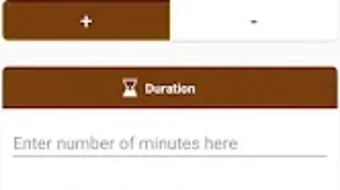
The application features a clean and minimalistic interface, optimized for mobile use. Navigation is streamlined, with key functions accessible through clearly labeled input fields and buttons. Users can enter a date of birth or two dates and receive immediate results without delays or complex steps. The workflow is designed for efficiency, minimizing the number of taps required to complete a calculation.
Performance observations are based on general software behavior patterns. The app is described as fast and lightweight, suggesting efficient operation even on lower-end devices. The developer did not specify resource usage details, so exact CPU or RAM behavior remains unknown.
However, the small file size of 2.3 MB indicates a lean footprint, which typically correlates with low system impact. Stability during use is expected to be consistent, given the app’s straightforward functionality and lack of complex background processes. No reported crashes or errors were mentioned in the provided information.
Compatibility & System Requirements
Age Calculator – Date of Birth is designed for Android devices. The application is compatible with Android operating systems, though specific version requirements were not listed. The installation size is 2.3 MB, which is minimal and suitable for devices with limited storage space. The developer did not provide additional hardware specifications or system requirements.
Exact system requirements were not listed. Compatibility information was partially provided. Users should ensure their device meets standard Android compatibility standards to run the app. Given its lightweight nature, it is likely to function on a wide range of Android smartphones and tablets. For optimal performance, users may benefit from using the latest available version of the operating system, though this is not explicitly confirmed.
Pros and Cons
Pros
- Free to download and use with no hidden costs
- Lightweight at only 2.3 MB in size
- Fast and responsive calculations across all time units
- Simple, intuitive interface suitable for all age groups
- Supports multiple date formats and interval calculations
Cons
- Only available on Android, limiting cross-platform access
- No information on advanced features or customization options
- Limited to mobile platform; no desktop or web version available
- Exact system requirements were not specified
- Offline functionality is assumed but not confirmed
FAQ Section
Is Age Calculator available for iOS devices?
The application is currently only available for Android. No information was provided about an iOS version.
Does the app require an internet connection to function?
Based on the app’s design as a standalone calculator, it is likely to operate offline. However, the developer did not confirm this explicitly.
Can I use Age Calculator to track multiple birthdays or events?
The app supports calculating age between two dates, which can be used to track multiple events. However, the developer did not specify whether the app includes a built-in calendar or reminder system.
How often are updates released for Age Calculator?
Update frequency was not disclosed. Users should check the app store for the latest version.
Is the app secure and safe to download?
Age Calculator is developed by Recron Apps and distributed through official Android channels. As it is free and lightweight, it is considered low-risk. However, users should always download from trusted sources.
Final Thoughts + CTA
Age Calculator – Date of Birth delivers a focused, reliable solution for anyone needing to compute age or time intervals with precision. Its clean design, multi-unit output, and ease of use make it a valuable tool for personal and educational purposes. While it lacks advanced features and platform diversity, its core functionality is executed efficiently and without bloat. The app is particularly beneficial for users who value simplicity and speed in date-based calculations.
For those seeking a free, lightweight, and accurate age calculator on Android, this tool stands out in its category. Whether tracking a birthday, planning an event, or solving a math problem, the app provides dependable results. Download Age Calculator now to simplify your date calculations and manage important milestones with confidence.





.png)

